Using iTrailog on Apple Watch
With iTrailog on your Apple Watch, your iPhone can stay in your pocket or pack: start and stop the recording, mark a spot and check your progress from your wrist.
How it works
The watch is a remote for the iPhone app. The recording, GPS and saved tracks are on the iPhone, which needs to be nearby and connected. The watch app doesn't record on its own.
What you can do from the watch
- Start Recording, Pause and Resume.
- Mark Waypoint at your position.
- Finish, then Finish & Save: the track is saved on your iPhone.
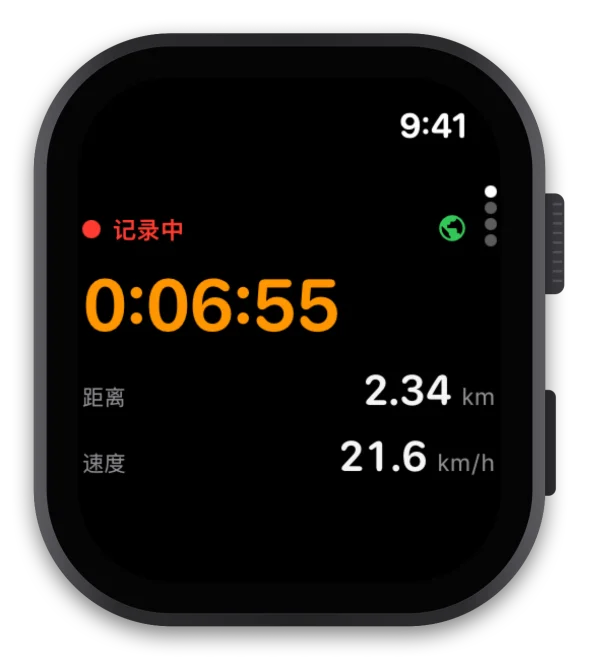
- See distance, speed, average and top speed, pace, elevation, ascent and descent, and GPS accuracy.
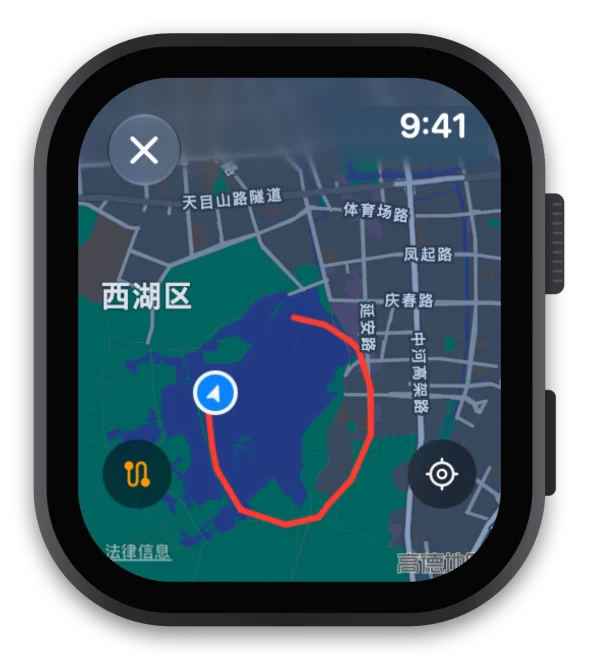
- See the recording and the route on a map.
- During a navigation started on the iPhone: the distance left, the direction back to the track when you're off it, the arrival time, and End Navigation.
Starting a navigation, going to a waypoint and browsing saved tracks are done on the iPhone.
If the watch can't start a recording
- Open iTrailog on the iPhone once, then try again.
- Make sure iTrailog is allowed to use your location on the iPhone.
- Check that the watch shows the iPhone as connected.
tips_and_updates
Time, distance and direction also appear in the watch's Smart Stack while you record or navigate, through the iPhone's Live Activity.